
Supremely accurate and incredibly easy to use, for more relaxed DRIVING.
For more information, please refer Stinger Australia website
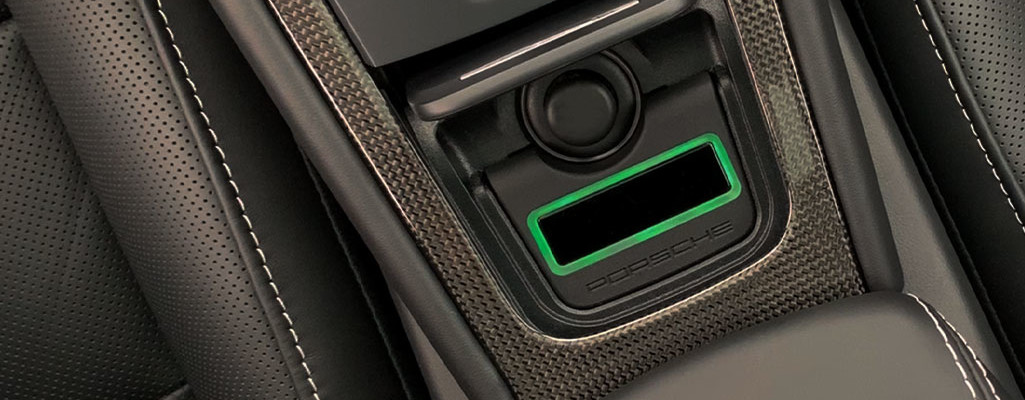
Strip Display colour coding indicate the level of warning - green means 'relax', yellow 'suppressed alert' and red 'full alert'.
If you are looking for the best protection technology can offer and want it to be hassle free, the Stinger Radar Detector can detect all current speed detection radars used throughout Australia. Featuring the smallest, most modern, and most effective antenna, the Stinger Radar alerting is, quite simply, revolutionary - allowing you to focus fully on driving pleasure.
The Stinger Strip
The Stinger Radar Strip display offers a small simple user interface including coloured LED highlighting for an improved visual user experience.
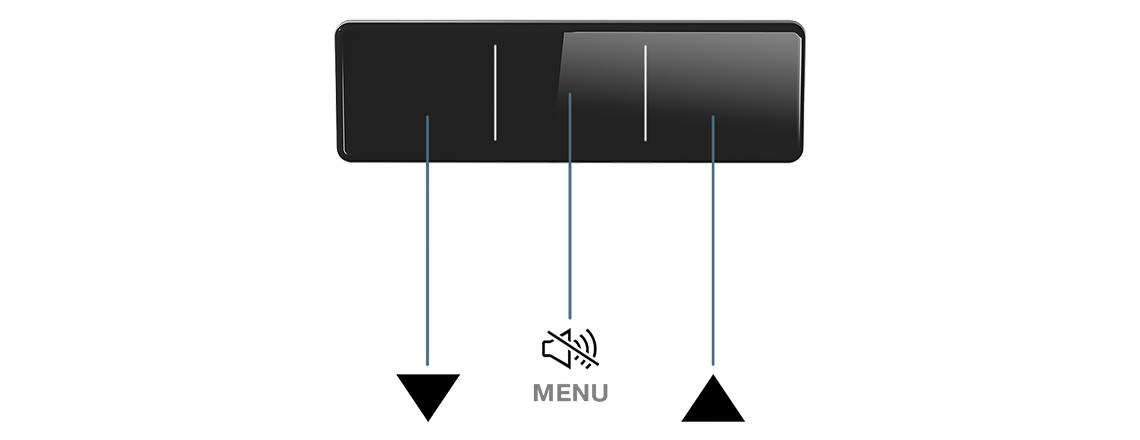
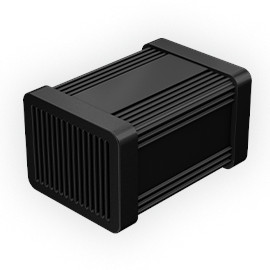
Essential aspects of the Stinger's operation include:New S8-25 Radar Antenna: A breakthrough in radar technology
|
 |
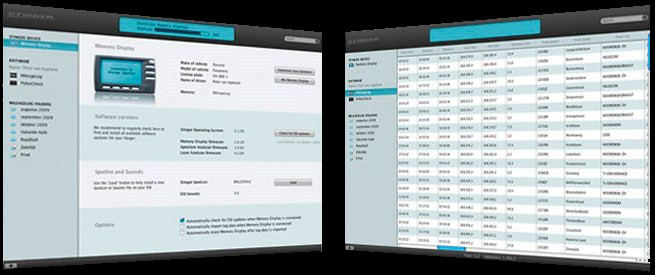 |
Stinger DesktopWelcome to Stinger Desktop. Stinger endeavours to develop fully integrated products and believe that this should not stop at your car. The Stinger Desktop ensures updating your Stinger is both simple and quick. It also takes care of moving data from your Stinger to your Mac or PC. |
Stinger USB KeyStinger Radar Desktop allows owners to re-load Stinger data, update spotlists and update software - all with a small USB key to get the latest software updates. It is MAC compatible too. That is all it takes to keep your Stinger up to date and optimised for the latest fixed speed trap locations. |
 |
Stinger Radar Plug-n-Play functions
 |
Radar AlertingWherever Radar Alerting is allowed, your Stinger can locate police radars. Because of the hyper-intelligent and efficient Stinger HD antennas, your Stinger Radar offers unsurpassed sensitivity and accuracy. |
 |
SpotList AlertingUtilising its GPS, your Stinger can alert you to fixed speed traps. It is also essential anywhere, in order to alert you for fixed speed trap locations that make use of 'induction loops' embedded in the road surface. The Stinger SpotList is an up-to-date and extensive database of fixed speed trap locations. These can be uploaded to your Stinger by using the Stinger Desktop (Mac/PC) application. |
 |
Point to Point (Section) AlertingIn some states, road authorities use automated systems in order to calculate your average speed over a fixed distance, generally referred to as: 'Point to Point' or 'SPECS'. When driving in a Point to Point zone, many drivers may have no idea of their average speed and continuously keep looking at their speedometer, or start driving dangerously slow out of fear of getting a speeding ticket. That is why Stinger has developed 'Section Alerting': not only will you be alerted when you are approaching and exiting a 'Point to Point' area, but your Stinger will actually escort you through it. While in the Point to Point zone, your Stinger will continuously calculate your average 'Point to Point speed'. If at any time your average speed exceeds the set speed limit, your Stinger will alert you with audio and visual signals. |
 |
Speed SenseThe Stinger VIP allows you to enter two speed values below which no alarm will sound. One setting can be selected for motorways and another for non-motorway driving. The Stinger V.I.P. GPS module will determine which of the two values to apply for truly relaxing driving. Special Note: The Stinger VIP's GPS module also recognises its location and modifies its radar configuration to match known radar band segmentation in that particular location. |
The Stinger Radar System includes:
- Strip Display
- Main Control Box
- S8-25 Radar Antenna
- GPS Antenna
- Speaker
- Installation hardware and cables
Stinger Radar Only System Spotlists - Software and Spotlist Downloads
Stinger Manual Downloads
Stinger User / Installation Manuals